Grok Bot gives you Bots you message like teammates, on the desktop or on iOS. Each Bot works on its own cloud computer, keeps context between tasks, and can run routines on a schedule. I connected one to this Model Context Protocol (MCP) server to see how it handles a real question about ERP data on the IBM i.
The question
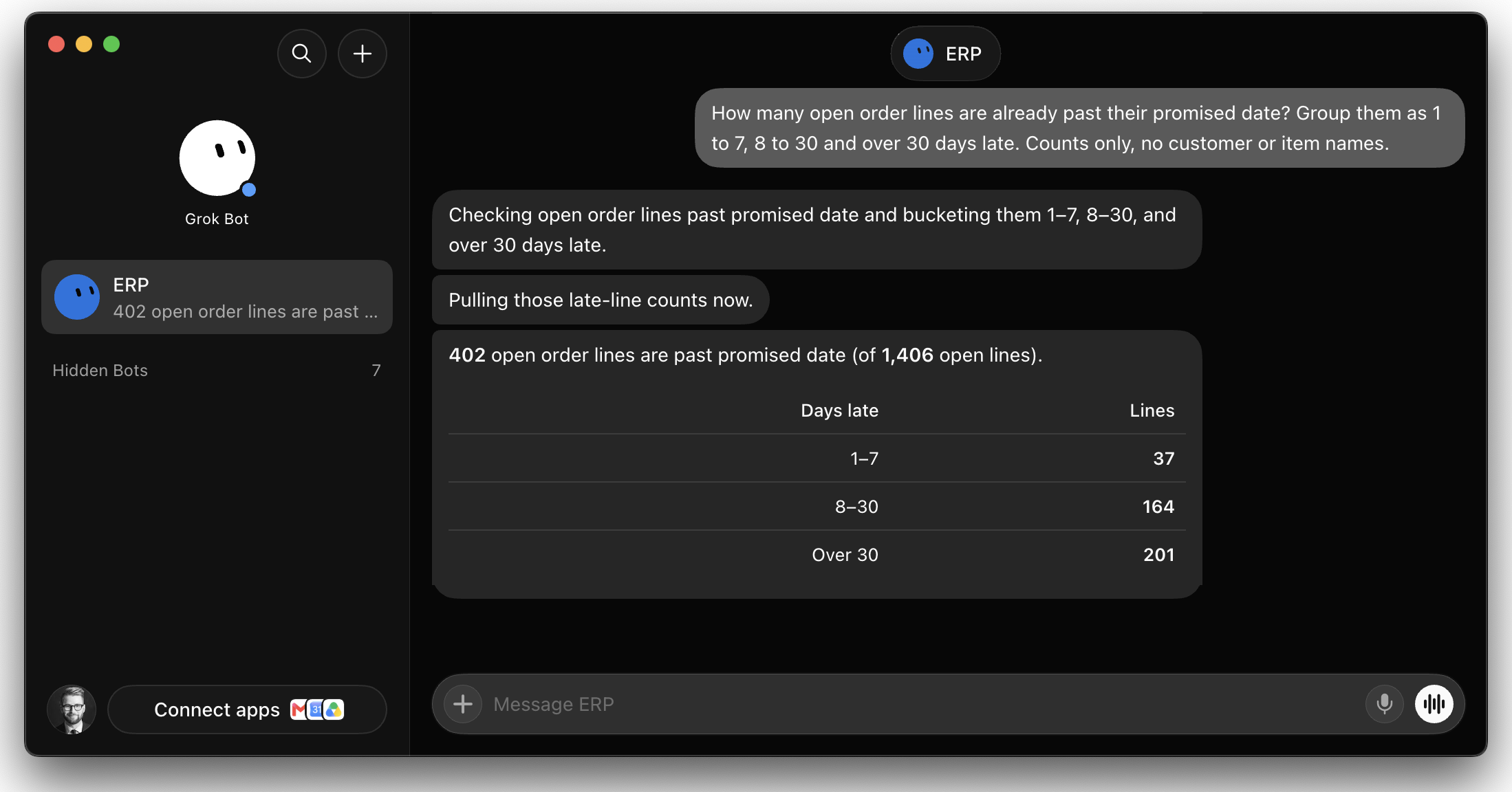
How many open order lines are already past their promised date? Group them as 1 to 7, 8 to 30 and over 30 days late. Counts only, no customer or item names.
I didn’t tell it which library, table or column to use. It found the order line table and the promised date column on its own, and ended the answer with what it counted as open, which is where a question like this usually goes wrong.
How it connects
A Bot connects over HTTPS with the same OAuth sign-in as claude.ai. You give it the server URL, https://mcp.example.com/mcp, and it puts a sign-in card in the chat. Open the link in your own browser and sign in with your IBM i user profile. From then on, the Bot’s queries run with that profile’s authority, on a read-only connection, through the SQL validator and the library (schema) allowlist.
Two things are different from claude.ai.
The callback. The sign-in returns through Cursor’s hosted callback, https://www.cursor.com/agents/mcp/oauth/callback. It is not in the default list, so add it to MCP_OAUTH_REDIRECT_URIS. Setting the variable replaces the defaults, so list the ones you still use:
MCP_OAUTH_REDIRECT_URIS=https://claude.ai/api/mcp/auth_callback,https://claude.com/api/mcp/auth_callback,cursor://anysphere.cursor-mcp/oauth/callback,https://www.cursor.com/agents/mcp/oauth/callbackThat callback also redirects once more before it reaches Cursor. Browsers check the sign-in form’s form-action rule on every hop of that redirect, so on older versions the Sign in button seemed to do nothing. The sign-in page now hands the browser a short page that continues to the callback, instead of a redirect straight from the form.
Where it connects from. The Bot’s computer uses shared cloud addresses, so you can’t put them on an IP allowlist. I keep the sign-in page limited to our own networks, since I open the sign-in link on my own machine anyway. The OAuth token endpoints are open to everyone, and /mcp accepts other addresses only with a shared header that I set in the Bot’s MCP settings. /mcp still needs a valid token either way. The Fargate post shows the WAF rules for this.
Why a Bot and not just a chat
The answer itself would look the same in claude.ai. The difference is what a Bot does next. It keeps working on its own computer while your laptop is closed, and it can run a routine on a schedule.
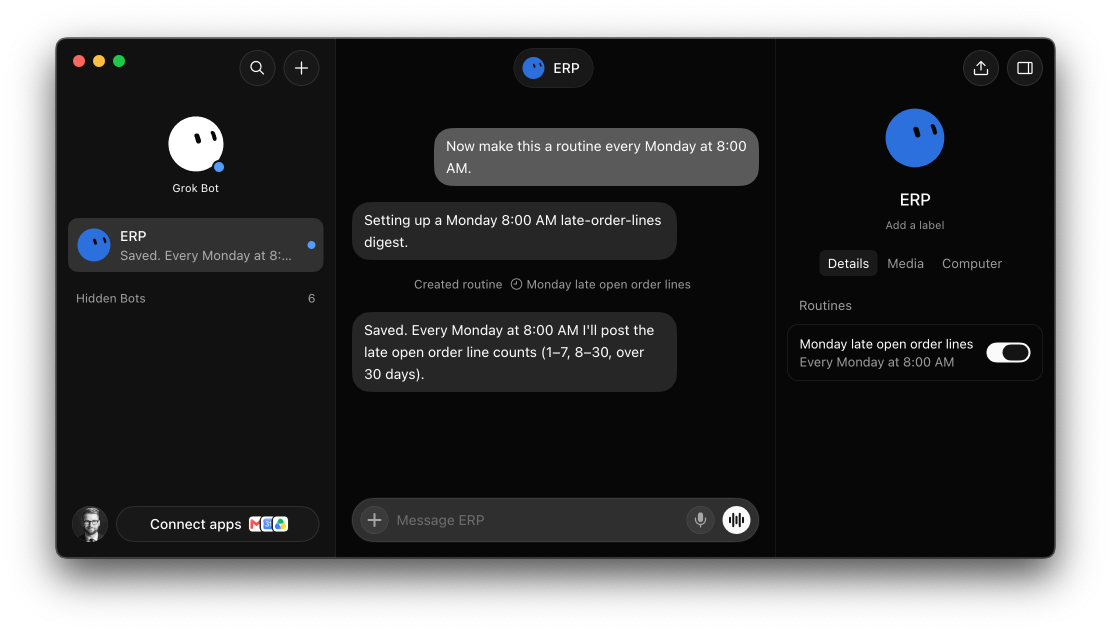
I asked it to make this a routine every Monday at 8:00 AM. It named the routine, listed it in the Bot’s details, and confirmed it will post the same three groups each week.
That makes it a good fit for the small, recurring checks that nobody has turned into a report yet.
What this means for business users
Someone in your IT team sets up the server once. After that, you ask the Bot about your orders in plain language and sign in with your own IBM i user, so you see what you could already see in the ERP.
Upgrading
npx mcp-server-db2i@latestThe sign-in page change is in 3.0.1. Nothing else changes for existing clients.