The first users I’ve seen run the HTTP server on their own machine behind a tunnel. That works for one person. For a team it should run somewhere that stays up, reaches the IBM i without a tunnel, and only answers the networks it should. This post walks through how I set that up on AWS Fargate. Everything is plain AWS, and nothing new runs on the IBM i.
The shape
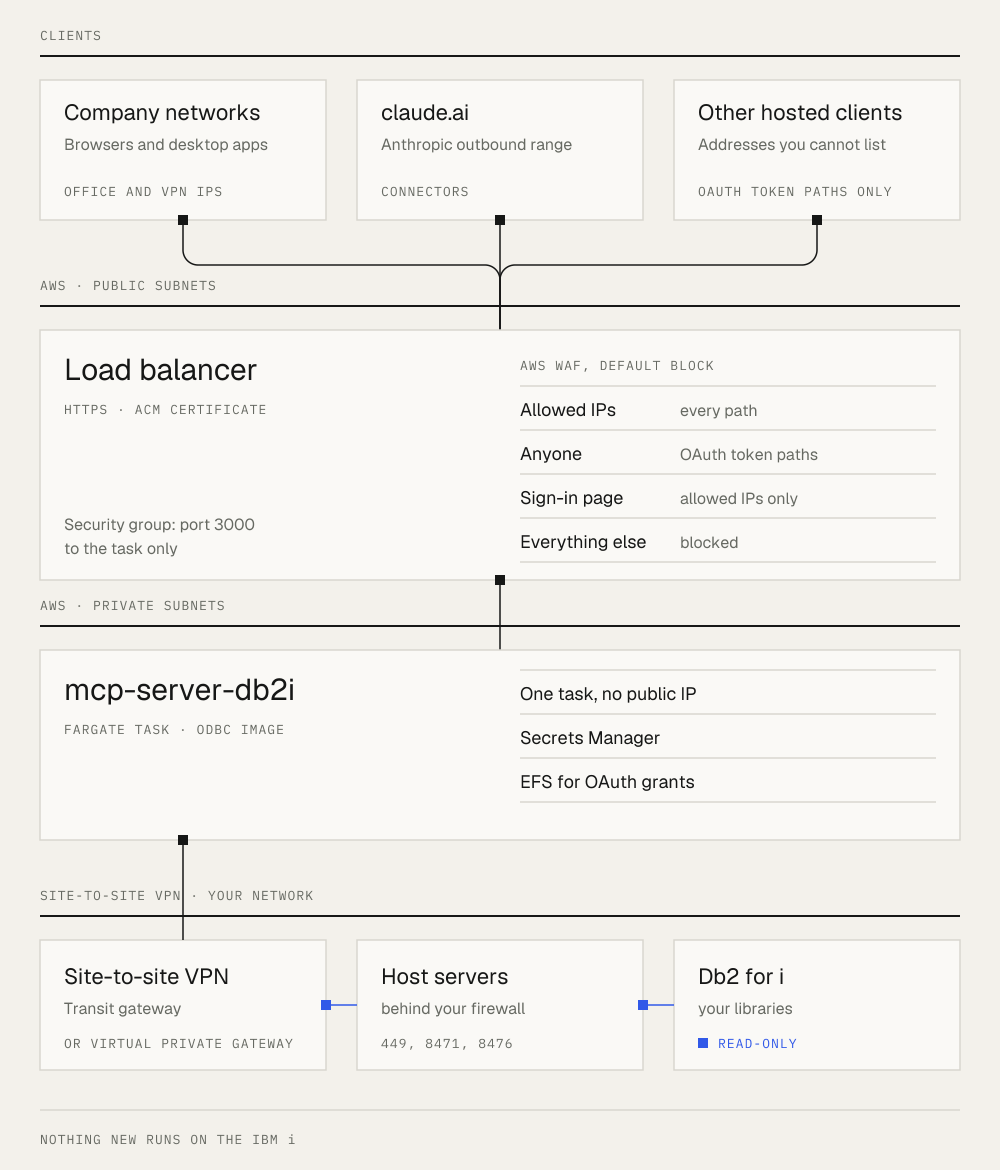
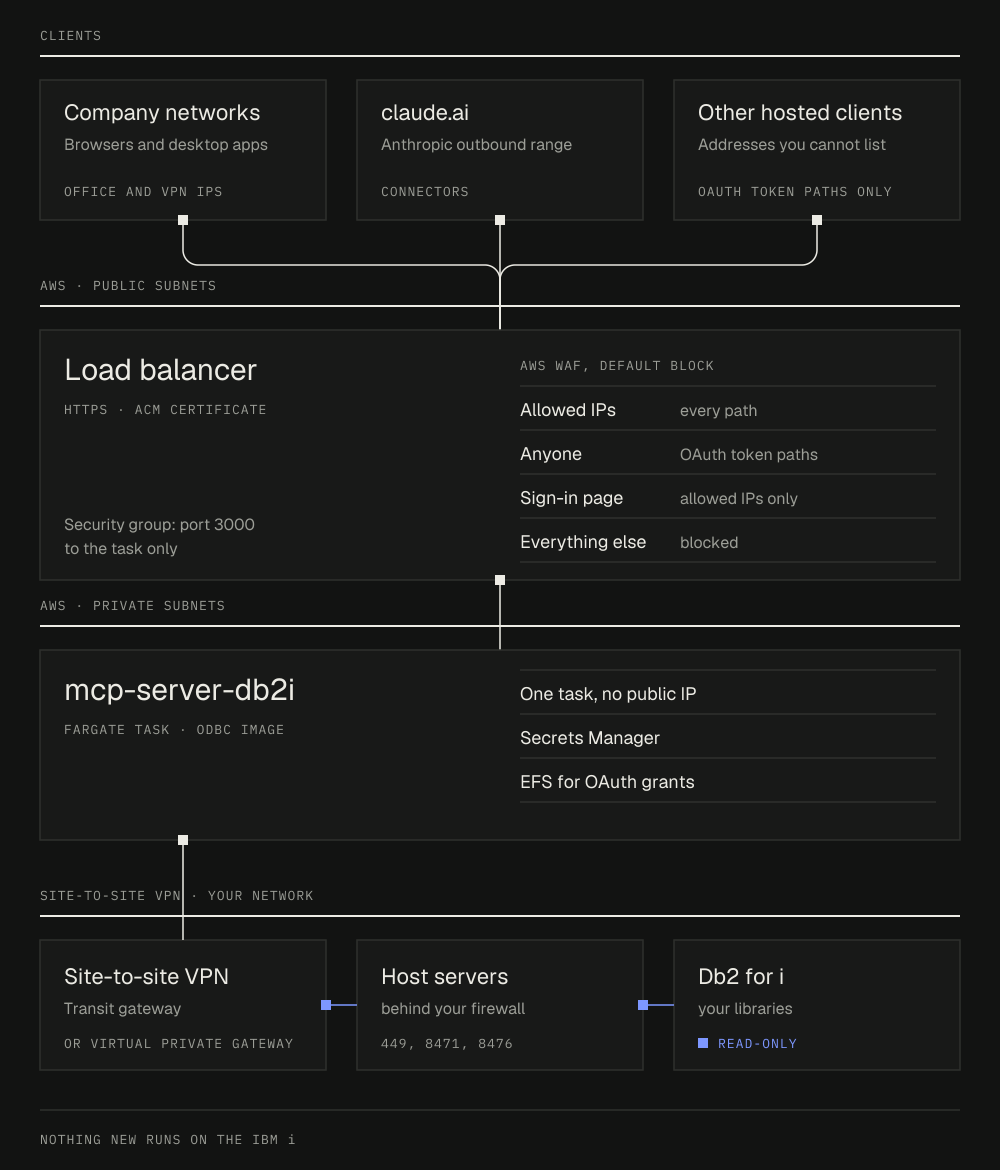
The task has no public IP. It reaches the IBM i on a private address over the VPN, through the same host servers any ODBC client uses. The load balancer is the only thing that faces the internet.
Network path to the IBM i
If your AWS account already has a site-to-site VPN to the network where the IBM i lives, the work is mostly routes and firewall rules:
- Route the IBM i network (for example
10.20.30.0/24) from the private subnets to the transit gateway or virtual private gateway. - Give the task a security group that allows outbound TCP 449 and 8470 to 8476 to that range. The ODBC driver uses 449 (port mapper), 8471 (database) and 8476 (sign-on).
- Ask whoever runs the firewall in front of the IBM i to allow those ports from the VPC’s private subnets. The IBM i sees the task’s private address, not a public one.
The container
The image is the repo’s Dockerfile with the odbc target. IBM publishes the IBM i Access ODBC Driver for amd64 only, so the task runs on X86_64.
The settings that matter behind a load balancer:
MCP_TRANSPORT=http
MCP_HTTP_HOST=0.0.0.0
MCP_AUTH_MODE=required
MCP_OAUTH_ENABLED=true
MCP_PUBLIC_URL=https://mcp.example.com
MCP_TRUST_PROXY=1                           # the ALB is one hop
MCP_OAUTH_STATE_FILE=/data/oauth/grants.json
DB2I_PROFILES=/config/profiles.yamlMCP_OAUTH_SECRETand the IBM i credentials come from Secrets Manager, not plain environment variables./data/oauthis on EFS, so a new deploy does not sign anyone out.- Run one task. Authorization codes live in memory for the minute between sign-in and token exchange, so a second task would answer half of those requests without the code. The trade-off: a deploy stops the old task before the new one is healthy, about a minute without the server.
The load balancer health check uses /health. One catch there: the health check sends the task’s private IP as the Host header, and the server only accepts the MCP_PUBLIC_URL host and loopback. That check protects against DNS rebinding, so every health check gets a 403 and the deployment never turns healthy. My first deploy rolled back on exactly that.
The fix is to add the task’s own address to MCP_ALLOWED_HOSTS when the container starts, since Fargate assigns it at launch:
export MCP_ALLOWED_HOSTS="$(node -e 'const n=require("os").networkInterfaces();
  console.log(Object.values(n).flat().filter(a=>a.family==="IPv4"&&!a.internal).map(a=>a.address).join(","))')"
exec node dist/index.js
A private address in the allowlist does not weaken the rebinding check, which is about an attacker’s domain name pointing at your server.
Also set the load balancer’s idle timeout to a few minutes, so a long query does not hit the default 60 seconds.
Who can reach it
With OAuth on, every user signs in with their own IBM i profile, and queries run with that profile’s authority. The sign-in page still takes IBM i passwords, so it should not be open to the whole internet.
I use AWS WAF on the load balancer with a default action of block, and three allow rules:
- Company networks and the Anthropic outbound range. An IP set with your office and VPN egress addresses (say
203.0.113.0/24) and Anthropic’s published range for claude.ai connectors. These reach every path, including the sign-in page at/oauth/authorize. - OAuth discovery and token endpoints, from anywhere.
/.well-known/*,/oauth/register,/oauth/tokenand/oauth/revoke. Hosted clients call these from their own servers, whose addresses you may not know. None of them accept a password. A token request needs a code from a completed sign-in and the PKCE verifier. - Everything else is blocked. That includes
/oauth/authorize,/auth,/healthand/exports.
Users sign in from a browser on a company network. The client then talks to /mcp with the token it got, from wherever it runs. If a client calls /mcp from addresses you cannot list, add a narrow rule for that one path, for example a shared header on /mcp only. /mcp still requires a valid token either way.
Two more details:
- Turn on WAF logging, and redact the
authorizationheader and query strings. The logs are how you see which rule blocked a client. - The load balancer here is IPv4 only, so IPv6 prefixes in your allowlist do not apply. Browsers will connect over IPv4.
What is enforced where
- WAF: which source addresses reach which paths.
- Security groups: the load balancer reaches the task on port 3000 only, and the task reaches the IBM i on the host server ports only.
- The server: OAuth, rate limits on sign-in, a read-only connection, the SQL validator and the library (schema) allowlist of each profile.
- The IBM i: the user’s own object authority and any exit programs, as with any other ODBC client.
What next?
If you run this on another cloud or behind a different proxy, a pull request that adds your setup to the docs is welcome, especially how you limit who can reach the sign-in page.